
01 · 03
Measurement display
View measurement traces, scales and settings on the touchscreen. The image is a product reference, not a live measurement.
Selection checkConfirm the measurements and display requirements for your application.
Technical product information for engineering, procurement, rental and service inquiries.
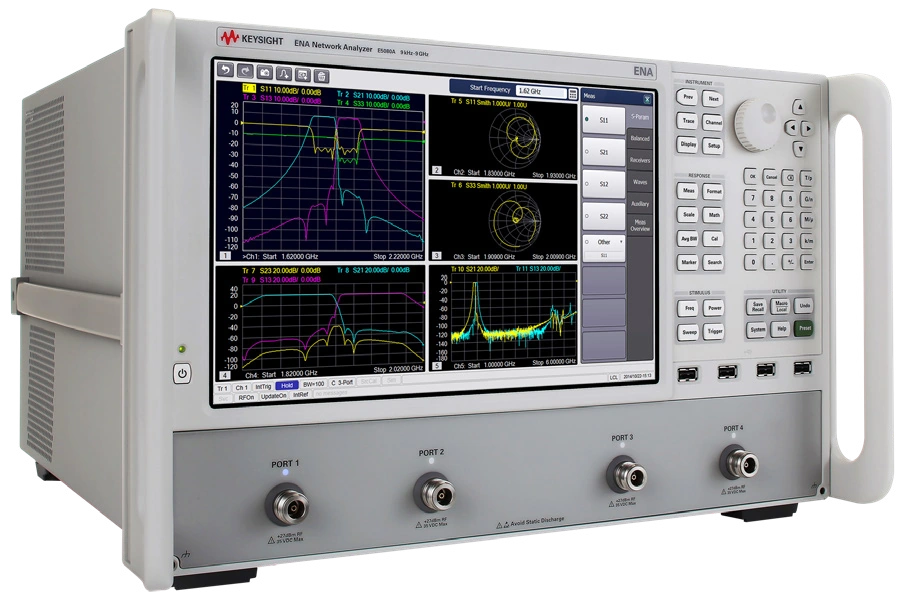
Vector network analyzer for S-parameter and RF/microwave characterization. Confirm frequency range, port count, installed options and calibration requirements with SMART.
PRODUCT FOCUS · KEYSIGHT E5080A
Hover over or select an area of the E5080A to see what to confirm when comparing an instrument configuration.
The image is unavailable. The descriptions and enquiry links remain available.
01 · 03
View measurement traces, scales and settings on the touchscreen. The image is a product reference, not a live measurement.
Selection checkConfirm the measurements and display requirements for your application.
02 · 03
Connect the device under test and suitable calibration accessories at the RF test ports. The E5080A is available with two or four ports, depending on its configuration.
Selection checkConfirm port count, connector interfaces and calibration accessories.
03 · 03
Use the complete model and installed option list to review the configuration. Frequency range and available software functions depend on the options fitted.
Selection checkShare the full model, options, quantity and target date with SMART.
Selected: Measurement display.
Manufacturer front-panel guideContact SMART to confirm the latest specifications, available options, accessories, calibration and lead time.